Home Office Desk Space Layout Ideas: 7 Space-Tested Floor Plans
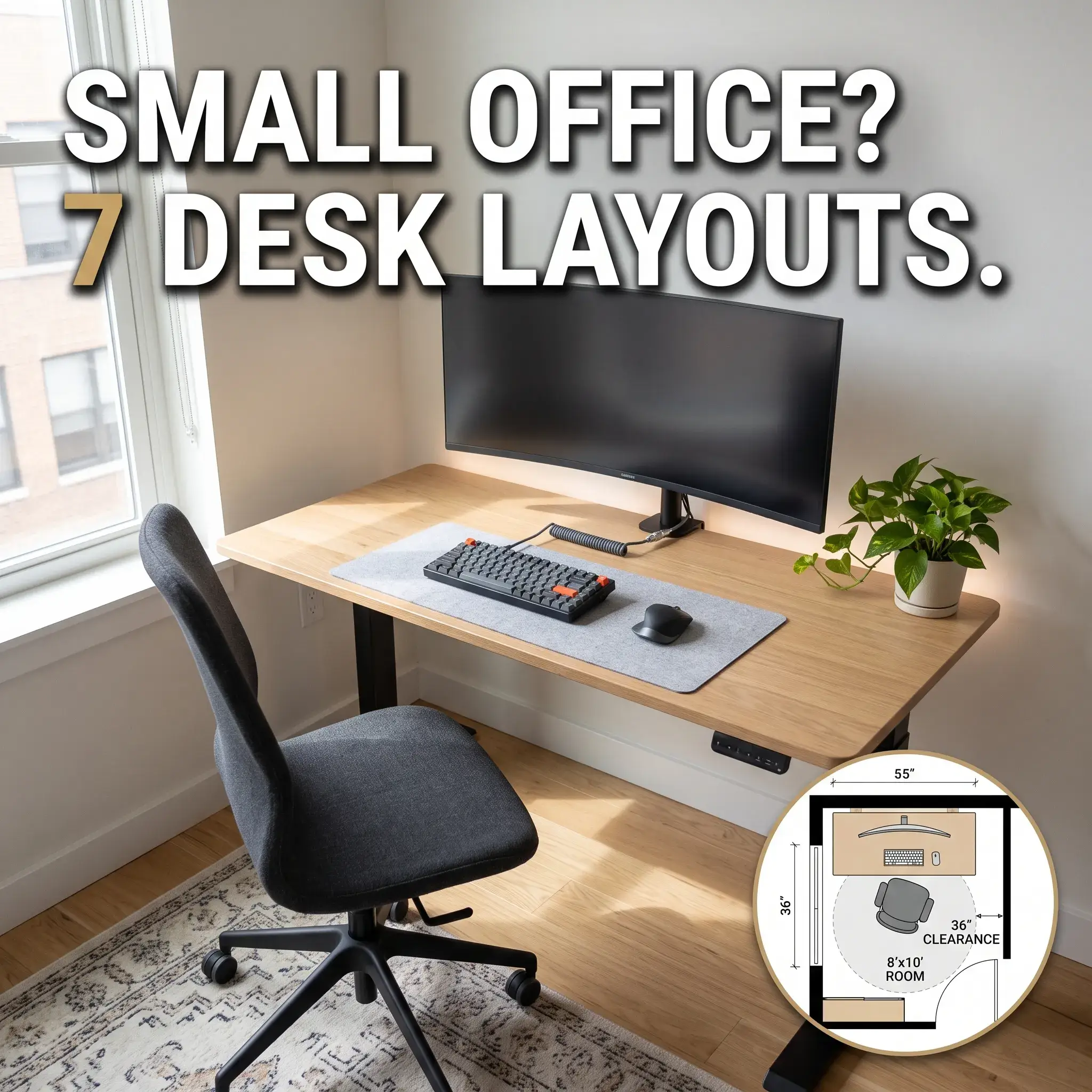
A poor desk layout drains your energy before your workday starts. Placing furniture without a clear plan leads to harsh screen glare, tangled wires across walkways, and a chair that hits the wall every time you stand up.
Most online advice shows staged corporate showrooms or empty lofts. Real homes have tight corners, baseboard heaters, shared living rooms, and limited wall outlets.
The seven floor plans below solve these everyday problems. Each layout includes exact room dimensions, chair clearances, and a complete equipment breakdown so you can build a setup that fits your home.
1. The Perimeter Wall-Facing Layout
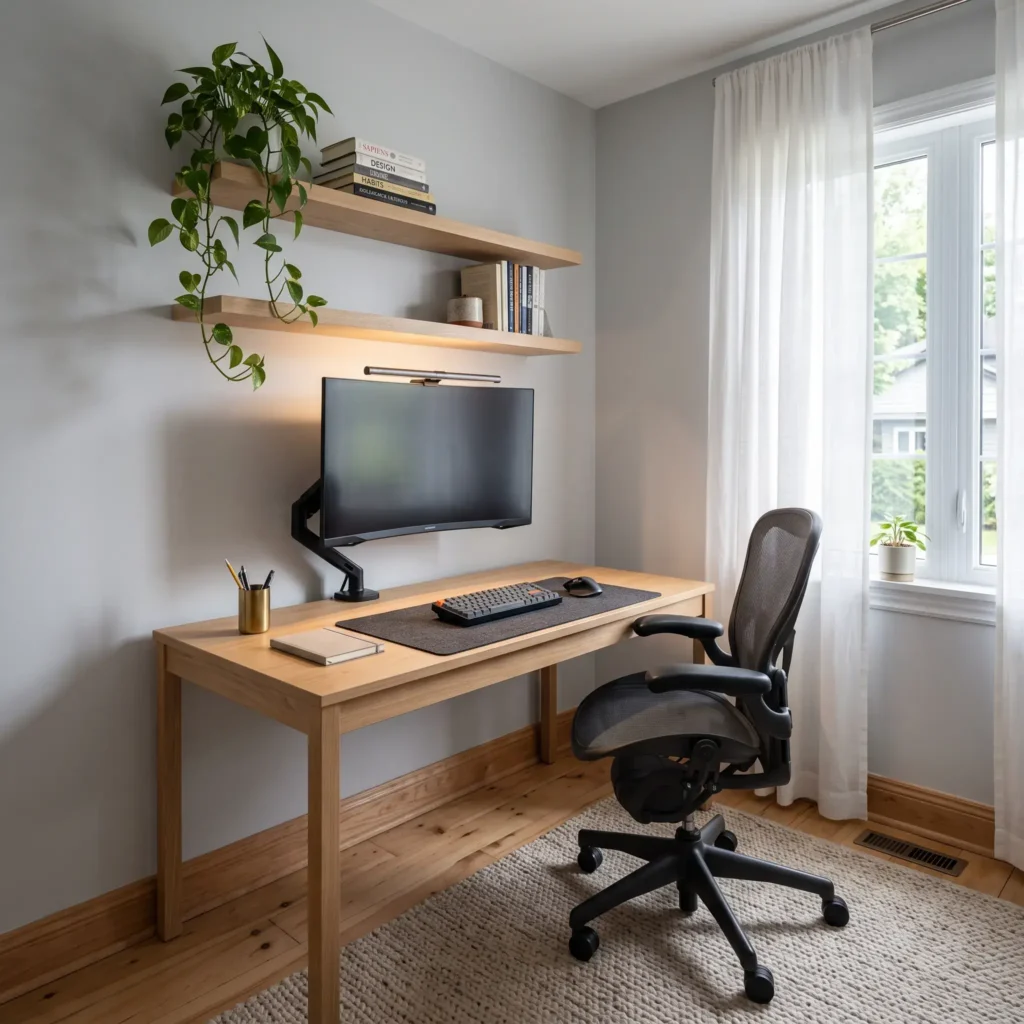
This setup places your desk flat against a solid interior wall. It keeps the center of the room open, making it the top choice for bedrooms and spaces under 100 square feet.
Spatial Specifications
- Room Footprint: 8 x 8 feet to 9 x 10 feet.
- Desk Surface: 48 to 55 inches wide by 24 to 28 inches deep.
- Chair Pushback Clearance: Maintain 36 inches (91 cm) of unobstructed floor space behind the desk edge.
- Corridor Clearance: Leaves 48 to 60 inches of open floor space behind your seating zone.
Practical Setup Advice
Placing your desk against the wall lets you connect power strips straight into baseboard outlets without running wires across the floor. You also gain open vertical space for floating shelves, storage pegboards, or acoustic panels.
Staring directly at a flat wall during long work sessions can cause visual fatigue. Fix this by mounting a 6500K LED light strip along the back of your monitor to soften contrast against the wall.
Featured Equipment List
- 55 x 28-inch solid oak top on a black steel frame.
- 32-inch 4K curved display on a clamp-on desk arm.
- Asymmetrical aluminum monitor light bar.
- Herman Miller Aeron chair (Size B).
- 48-inch wall-mounted white oak floating shelves with hidden steel brackets.
- 36 x 16-inch felt desk pad with non-slip base.
2. The Command Position Executive Layout
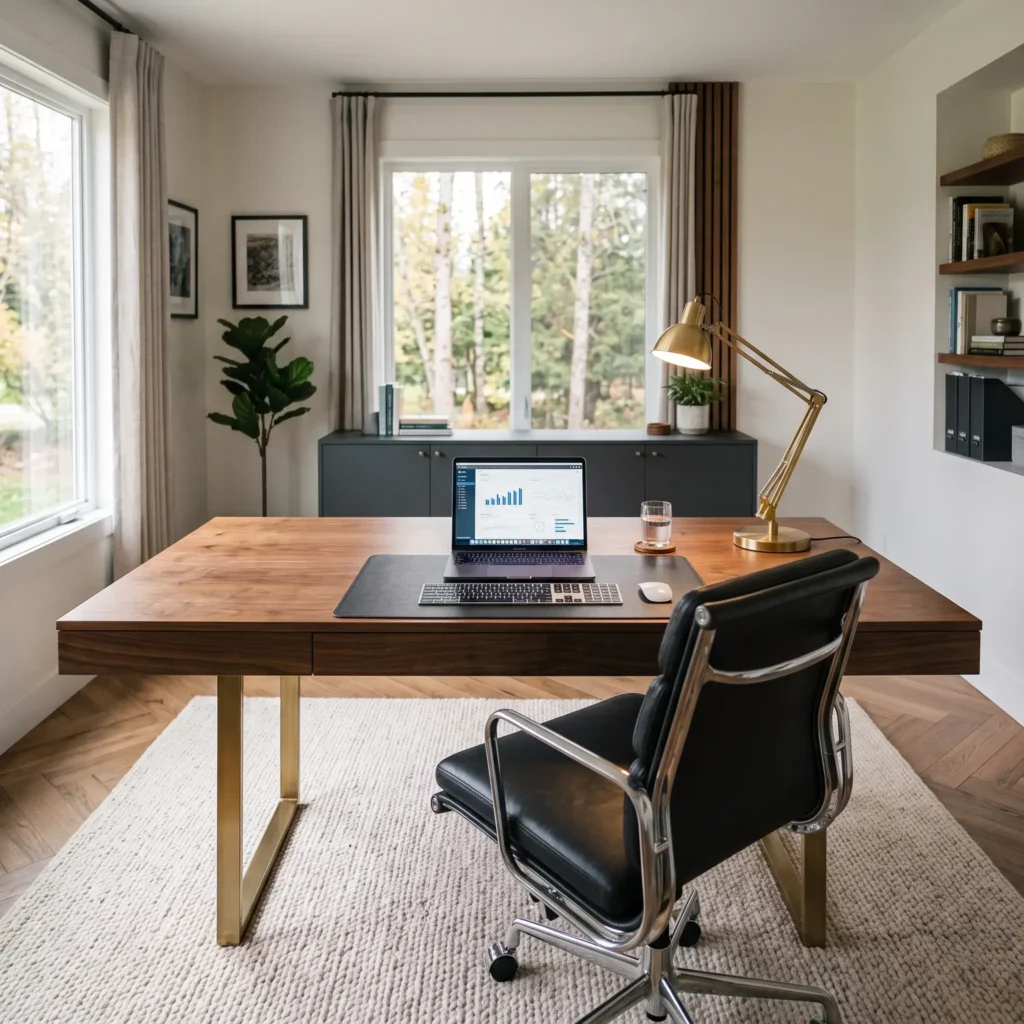
The command position places your desk facing inward toward the room entrance, while anchoring your back against a solid rear wall.
Spatial Specifications
- Room Footprint: 11 x 11 feet to 12 x 14 feet (requires at least 120 square feet).
- Desk Surface: 60 to 72 inches wide by 30 to 36 inches deep.
- Chair Pushback Clearance: Maintain 42 inches (107 cm) between your desk and the rear credenza.
- Entryway Clearance: Keep 48 inches of open space between the front desk edge and the door.
Practical Setup Advice
This layout gives you full visual control of your room. It prevents family members from startling you while you work, and it provides an organized background for client video calls.
Because the desk sits in the middle of the room, you cannot plug equipment directly into the wall. Run your power cords beneath a heavy-duty rubber floor cord track, or run them under a large area rug to prevent tripping.
Featured Equipment List
- 72 x 30-inch solid walnut executive desk with steel legs.
- 60-inch low-profile matte credenza for files and printer storage.
- Steelcase Gesture ergonomic chair in black leather.
- Acoustic wood-slat wall panels over sound-absorbing PET felt.
- Low-profile rubber floor cable protector.
- Balanced-arm architectural LED desk lamp.
Check out more Interior Ideas
3. The Perpendicular Window Layout
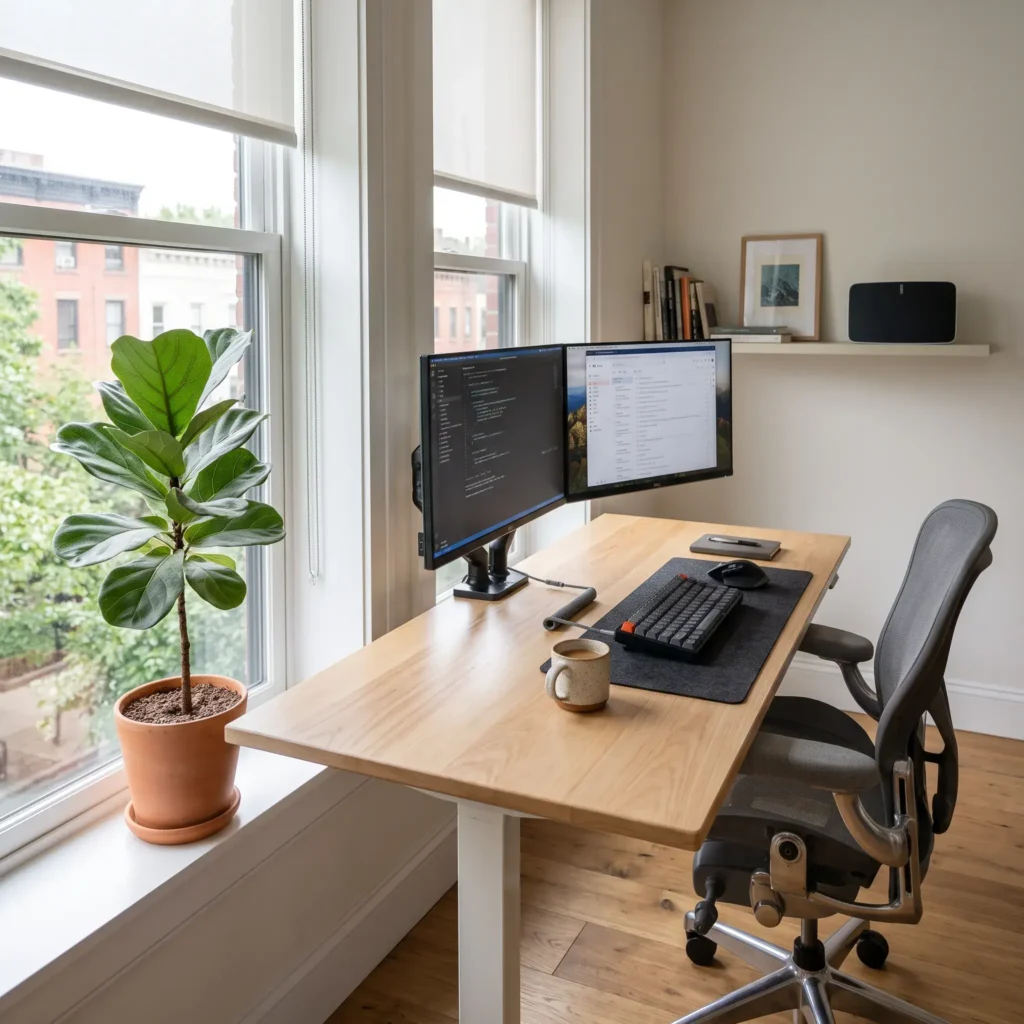
This floor plan positions your desk at a 90-degree angle to an exterior window, giving you outdoor views while protecting your screens from direct glare.
Spatial Specifications
- Room Footprint: 9 x 10 feet or larger.
- Desk Surface: 60 inches wide by 30 inches deep.
- Chair Pushback Clearance: 36 inches (91 cm) behind the work surface.
- Window Distance: Place the short edge of your desk 6 to 12 inches away from the window sill to allow curtain movement.
Practical Setup Advice
Facing a window directly forces your eyes to adjust between bright outdoor sunlight and a darker computer screen, causing eye strain. Placing your back to a window creates glare reflections on your display and turns your face into a dark silhouette on video calls.
Setting your desk perpendicular to the window avoids both problems. Daylight illuminates your work surface evenly from the side. Use light-filtering roller shades to soften harsh afternoon light.
Featured Equipment List
- 60 x 30-inch solid ash wood standing desk.
- Dual 27-inch IPS monitors on an adjustable dual VESA monitor arm.
- Fabric roller shades with a 3% light openness factor.
- Haworth Fern ergonomic task chair with lumbar support.
- Ceramic floor planter with indoor greenery.
- Undermount metal wire cable basket.
4. The Corner L-Desk Layout
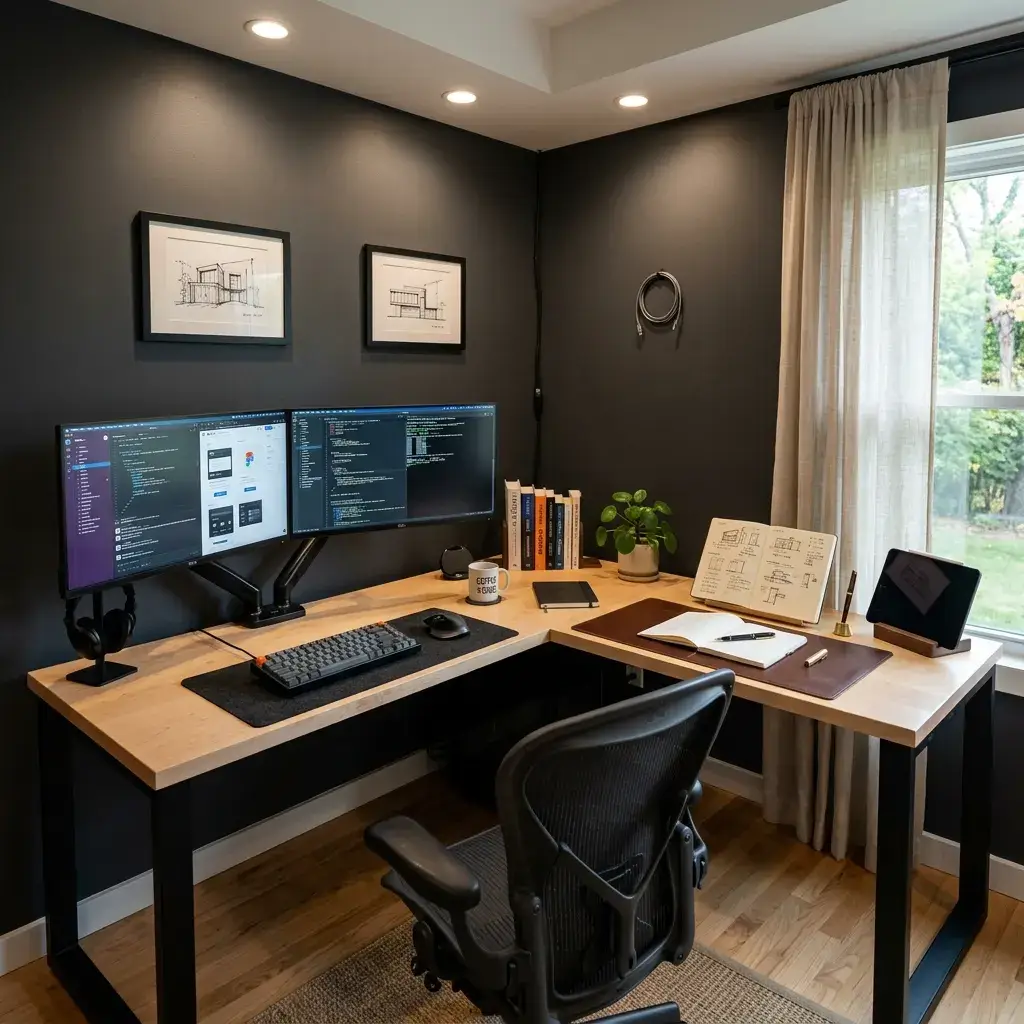
An L-shaped desk uses an empty 90-degree room corner to create two separate task zones within arm reach.
Spatial Specifications
- Room Footprint: 9 x 9 feet to 11 x 11 feet.
- Total Desk Footprint: 60 x 60 inches with a 24-inch surface depth on both wings.
- Dynamic Corner Clearance: 42 inches (107 cm) measured diagonally outward from the inner desk corner.
- Knee-Well Clearance: 24 inches minimum clear width on each wing.
Practical Setup Advice
Dedicate the long wing to your monitors, keyboard, and primary computer work. Use the secondary return wing for paperwork, sketchpads, or secondary hardware like audio mixers or printers. You move between computer tasks and writing tasks by turning your chair rather than shifting equipment.
Select an L-shaped desk frame that uses an open corner connection. Avoid frames with inner corner legs that hit your knees when you swivel.
Featured Equipment List
- 60 x 60-inch L-shaped desk with open corner leg architecture.
- Dual monitor desk mount with independent gas-spring arms.
- Ergonomic anti-fatigue standing balance mat.
- Dual under-desk cable trays mounted below each wing.
- Full-grain leather desk writing blotter.
- Multi-device wireless keyboard and mouse.
5. The “Cloffice” Reach-In Alcove Layout
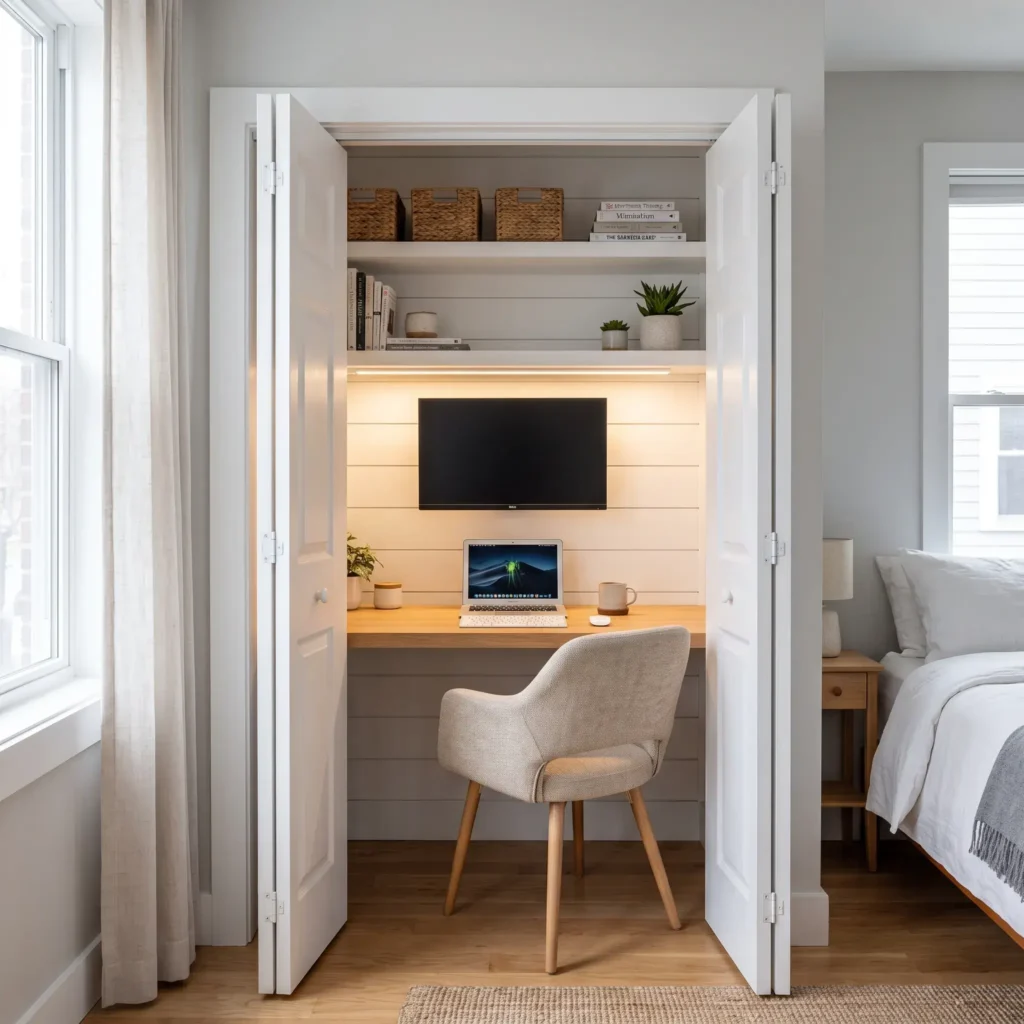
When you do not have an extra room, converting a standard 24-to-30-inch-deep bedroom closet creates a clean, space-saving work area.
Spatial Specifications
- Closet Footprint: 4 to 6 feet wide by 24 to 30 inches deep.
- Desk Surface: 48 to 60 inches wide by 20 to 22 inches deep.
- Vertical Desk Height: 28.5 to 29.5 inches from the floor to the desktop.
- Dynamic Chair Clearance: 36 inches extending outward into the bedroom space.
Practical Setup Advice
Support the desktop slab with heavy-duty structural steel brackets screwed into wall studs. This eliminates table legs, giving you full legroom inside a small footprint. Install floating shelves above the desk up to the ceiling to store books, hard drives, and office supplies.
When your workday ends, shut the bifold or pocket doors. Hiding your workstation stops work stress from spilling into your bedroom. If you run a desktop computer tower, keep the closet doors open during the day or add small vent grates to stop heat from building up.
Featured Equipment List
- Custom 48 x 22-inch white oak solid butcher block top.
- Heavy-duty steel structural shelf brackets supporting up to 500 lbs.
- Ultra-slim low-profile wall mount for a 27-inch monitor.
- Compact armless task chair designed to slide fully under a 22-inch desk.
- Surface-mounted under-shelf LED warm light strip (3000K).
- Paintable wall-mounted cable raceway channels.
6. The Side-by-Side Dual Workstation Layout
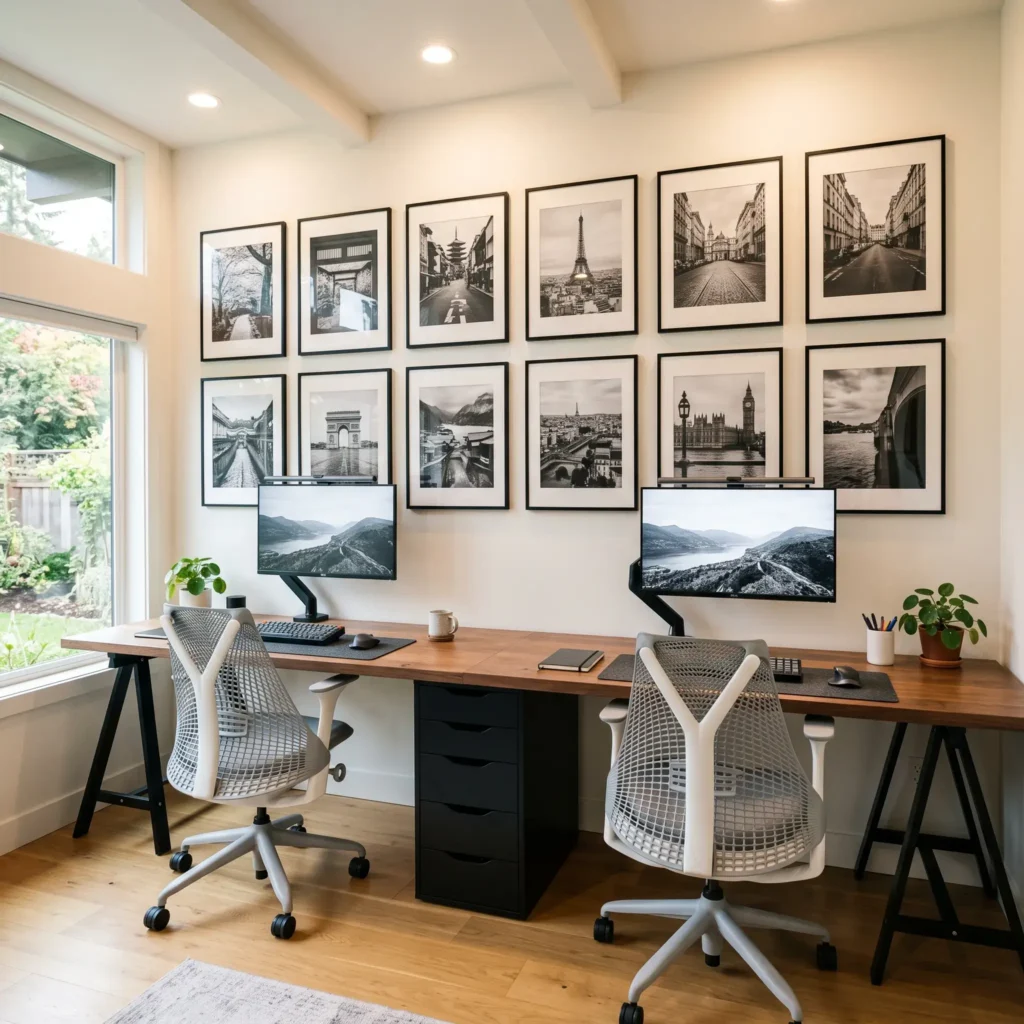
This layout arranges two workstations along a single long wall, making it ideal for couples or housemates who share an office room.
Spatial Specifications
- Room Footprint: 11 to 14 feet long by 8 to 10 feet deep.
- Total Desk Length: 96 inches minimum (48 inches per worker); 120 inches optimal (60 inches per worker).
- Surface Depth: 24 to 30 inches deep.
- Knee-Well Clearance: Minimum 24 inches of clear leg width per user.
- Chair Pushback Clearance: 36 inches behind each seat.
Practical Setup Advice
To provide comfortable elbow room, use a desktop that measures at least 8 feet long. Placing a small drawer unit in the center supports the long surface and creates a natural division between both work areas.
This divider gives each person dedicated storage while reducing side-glance distractions. Use independent monitor light bars so each person can control their own task lighting without disturbing the other.
Featured Equipment List
- 118-inch solid wood countertop surface.
- Center three-drawer filing pedestal for storage and structural support.
- Two matching ergonomic mesh task chairs with adjustable armrests.
- Two asymmetrical LED monitor light bars.
- Two flush-mounted metal desk cable grommets with power outlets.
7. The Floating Sofa Console Layout
If you live in an open-concept apartment without a dedicated spare room, position your desk directly behind your living room sofa.
Spatial Specifications
- Room Footprint: Open living rooms measuring at least 14 x 16 feet.
- Desk Surface: 50 to 60 inches wide by 20 to 24 inches deep.
- Desk Height: Must match or sit slightly below the back height of your sofa cushions (typically 30 inches).
- Walkway Clearance: Maintain at least 36 inches between your office chair and the nearest opposing wall or furniture piece.
Practical Setup Advice
In this arrangement, the desk acts as a sofa console table when you are off the clock. Choose a desk wood tone that matches your coffee table and living room furniture so the workstation blends into the space.
Choose a task chair with low arms that slides all the way under the desktop frame. This keeps the walkway clear during evenings and weekends.
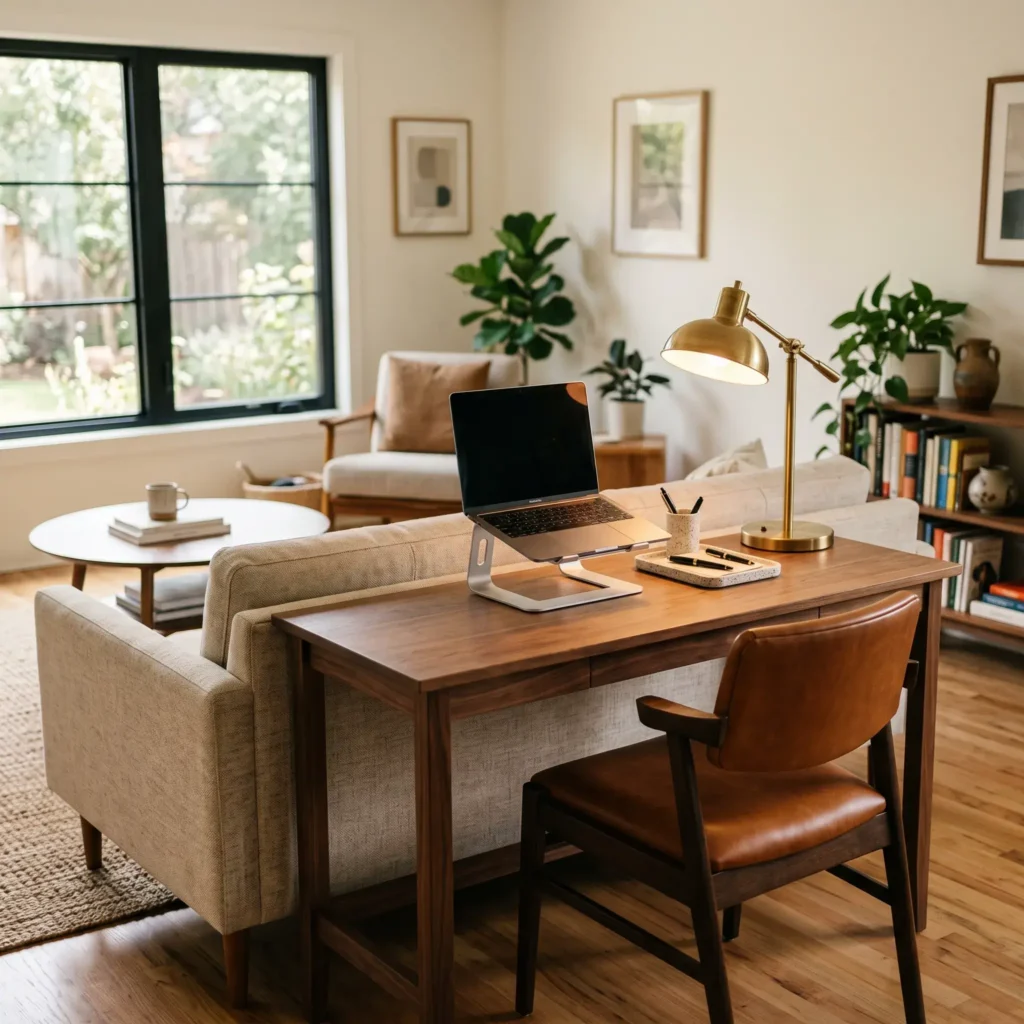
Featured Equipment List
- 54 x 20-inch solid walnut console desk.
- Brushed brass dimmable LED task lamp with a weighted base.
- Ergonomic aluminum laptop stand.
- Low-profile mid-century leather office chair.
- Magnetic under-desk cable clips to run cords down the back sofa frame.
Clearances and Ergonomic Guidelines
Before buying furniture, verify your room dimensions against standard commercial clearances.
| Measurement Type | Minimum Dimension | Optimal Dimension | Purpose |
|---|---|---|---|
| Desk Surface Depth | 24 inches (61 cm) | 30 inches (76 cm) | Provides safe viewing distance from screens to eyes. |
| Desk Surface Width | 48 inches (122 cm) | 60 to 72 inches (152–183 cm) | Holds multiple monitors, docks, and input devices. |
| Dynamic Chair Clearance | 36 inches (91 cm) | 42 inches (107 cm) | Lets you roll back and stand up without bumping walls. |
| Clear Knee Height | 27 inches (68.5 cm) | 28 to 29 inches (71–74 cm) | Prevents thighs from rubbing against desk support bars. |
| Knee-Well Width | 20 inches (51 cm) | 24 to 30 inches (61–76 cm) | Gives legs room to shift and stretch naturally. |
| Main Room Walkway | 35.5 inches (90 cm) | 42 to 48 inches (107–122 cm) | Keeps daily walking paths open and safe. |
Height-Adjustable Standing Desk Standards
If you use a sit-stand desk, confirm the lifting columns match your physical height:
- North American Standard (ANSI/BIFMA G1-2013): Continuous motorized adjustment range from 22.0 to 50.2 inches (55.9 to 127.5 cm). This supports users from 5’0″ to 6’3″ in both seated and standing postures.
- European Standard (EN 527-1): Travel adjustment range from 25.6 to 49.2 inches (650 to 1250 mm).
Use the 20-8-2 routine to stay alert and avoid back stiffness: sit in a neutral posture for 20 minutes, stand for 8 minutes, and walk or stretch for 2 minutes.
Workspace Lighting and Acoustic Comfort
A well-balanced home office prevents eye strain and stops video calls from sounding hollow.
Three-Tier Lighting System
- Ambient Lighting: Keep background ceiling light between 150 and 300 lux. This prevents contrast shock when your eyes glance away from bright screens into a dark room.
- Task Lighting: Aim for 300 to 500 lux across your keyboard and desk mat. Mount an asymmetrical monitor light bar to your screen bezel. It spreads light across the desktop without reflecting off the monitor glass.
- Display Bias Lighting: Attach a 6500K LED light strip behind your monitor. This raises the lighting level behind your display, softening edge glare and easing eye fatigue.
Room Reverberation Control
Hard drywall, wood floors, and glass windows bounce sound around the room. This causes flutter echoes that make your voice sound muddy during remote meetings.
Aim for a room reverberation time (RT60) between 0.4 and 0.6 seconds. You can reach this target by covering 15% to 20% of your wall area with acoustic felt or wood-slat panels rated at 0.80 NRC (Noise Reduction Coefficient) or higher.
Mount panels on the wall directly behind your monitors to catch voice reflections before they travel into the room.
The Three-Zone Cable Management System
Loose wires look untidy and create tripping hazards. On a motorized desk, tight cables can catch on nearby objects and pull expensive gear onto the floor.
Zone 1: The Desktop Surface
Run monitor power cords and display cables directly through the internal tracks of your VESA desk arm. Route mouse and keyboard wires through built-in desk grommets to keep the top surface neat.
Zone 2: The Under-Desk Underside
Bolt an open steel wire tray or flame-resistant mesh net to the bottom of your desktop. Fasten a heavy-duty power strip (PDU) inside this tray.
Plug all your screens, laptop docks, and chargers into this single power strip. If you use a PC tower, mount it to the desk frame with a hanging CPU bracket so it lifts smoothly with the desk.
Zone 3: The Vertical Floor Drop
Because all devices connect to the under-desk tray, only one main power cord and one network cable travel down to your wall socket.
Run these cords through a flexible, segmented cable spine. Bolt the top bracket to the desk frame and set the weighted base on the floor.
Important Rule: Raise your standing desk to its highest position before securing any cords. Leave 24 to 36 inches of slack so cables never pull tight or snap connectors as the desk rises.
Frequently Asked Questions
What is the best desk position for a small home office?
The perimeter wall-facing layout is best for rooms under 100 square feet. It keeps center floor space open, preserves walkways, and connects directly to wall outlets without cords crossing the room.
Should my desk face a window or a wall?
Position your desk perpendicular (at a 90-degree angle) to your window. Facing a window directly creates eye fatigue from bright sky contrast, while sitting with your back to a window causes monitor glare. A 90-degree angle gives you clean daylight across your desk without screen reflections.
How much space do you need behind a desk for an office chair?
Maintain at least 36 inches (91 cm) of open floor space behind your desk edge to push back and roll an office chair comfortably. If you have filing drawers or a door path behind your seat, increase this clearance to 42 to 48 inches (107 to 122 cm).
What is the command position for a home office desk?
The command position floats your desk in the center of the room facing the entry door, with a solid wall behind your back. This layout gives you visual awareness of the space, reduces startle reflexes, and creates a neat background for video meetings.
Can you put a desk over a baseboard heater or radiator?
Keep a gap of at least 6 to 12 inches between a heat source and your desk surface. Never block heating vents with solid wood panels, as trapped heat can warp furniture tops and cause computer hardware to overheat.
How to Set Up Your Workspace
Start by measuring your room footprint with a tape measure. Note the position of all wall outlets, windows, and door swings.
Next, mark out your chosen desk dimensions on the floor using blue painter’s tape. Sit inside the taped area with your office chair to confirm you have 36 to 42 inches of pushback clearance before ordering furniture.
Finally, choose your layout based on your primary daily work. If your job relies heavily on video meetings, pick the command position or a perpendicular window layout. If you work with large spreadsheets, coding setups, or multiple screens, choose a wide perimeter wall or corner L-desk. Getting your spatial clearances right first ensures your home office remains comfortable and practical every single day.